Administration console
The administration console is used to administer an organisation: the people who connect, the applications they access, the conditions of that access and what the platform keeps of their sessions.
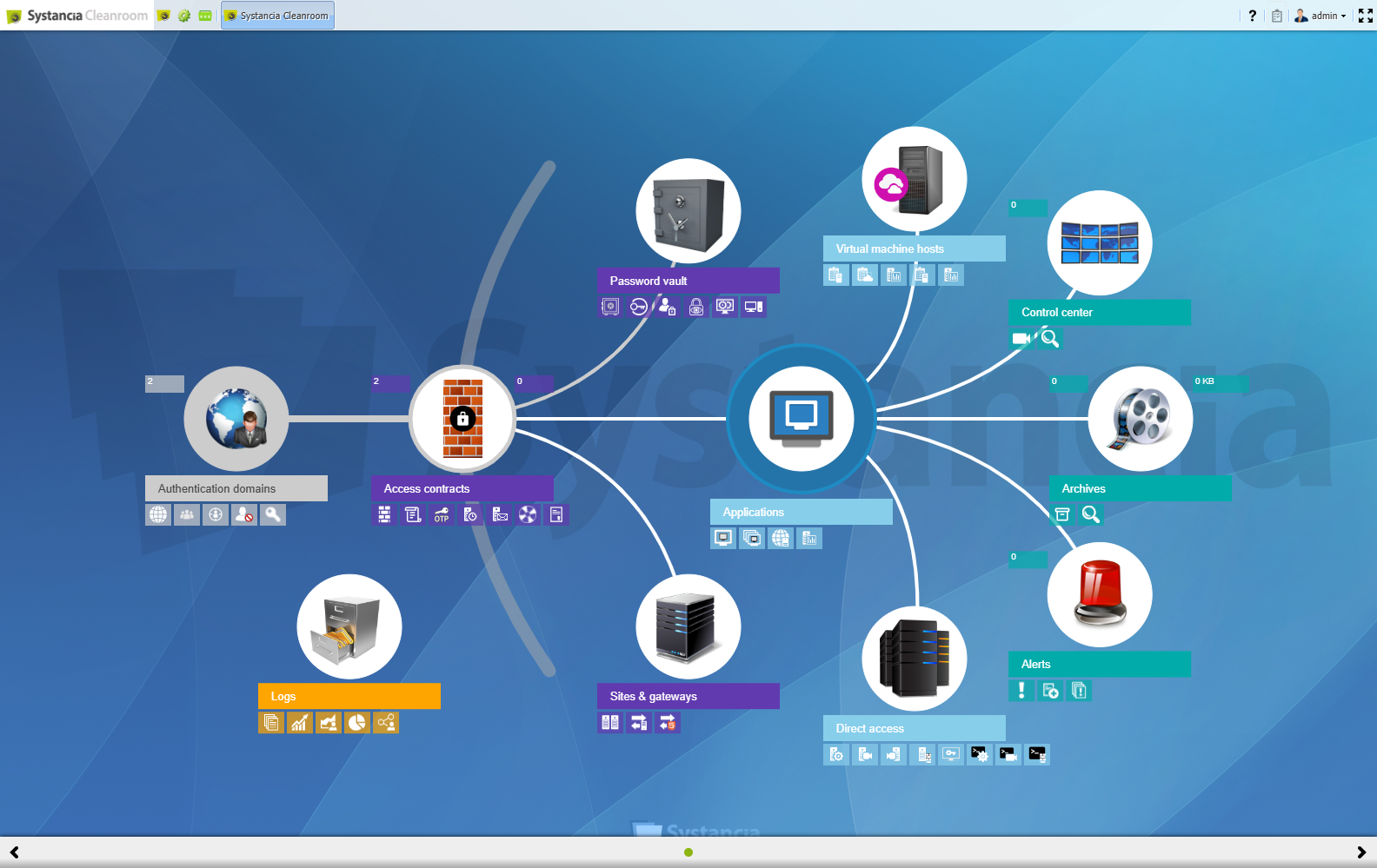
Accessing the console
The administration console is reached from a web browser, at the platform's /console/
address.
Two administrator profiles connect to it:
- the administrator of an authentication domain, declared as such, who has the whole console;
- the delegated administrator, whose profile defines, module by module, which screens are visible and whether they are read-only or writable.
Screens not displayed
A screen is not displayed when the platform option it depends on is disabled (this is the case for Browser Isolation): the availability condition of each screen is given in its page. A delegated administrator, for their part, sees every module: those their profile does not grant them in read mode appear greyed out, and only the delegated administrator profiles tile of the Configurations work panel is absent for them.
Scope of the console
The administration console manages one organisation only. What concerns the platform itself
is configured in the system console, at the /system/
address: creating organisations, licence, certificates, cluster mode, services, virtual hosts
and system backup.
Administration console or system console
A setting that would also apply to another organisation generally belongs to the system console. The vault mode, the authentication domains and the access contracts are specific to the organisation; the licence and the cluster are not.
Screens with the same name in both consoles
Logs, backup, languages, API keys and blocked administrators exist in both consoles, under the same name. They are different screens, with their own fields and actions: see the screens common to both consoles.
The following are not administered from this console either:
- the user portal, which has no editing screen: its content follows from the access contracts, and its appearance is set in the Configuration work panel;
- the interface languages: the administration console exists in English and French only. The labels quoted in this documentation therefore have no equivalent in another language.
Organisation of the console
The console is divided into work panels, reached from the top bar:
| Work panel | Content |
|---|---|
| Main work panel | day-to-day operation: users, applications, contracts, supervision, logs |
| Configuration | the organisation's global settings |
| ACM | handing secrets to agents |
Each work panel opens on a synoptic: a clickable map that groups the modules by theme. It is the main means of navigation; the task bar at the bottom of the screen is used to find windows already open.
The details of each screen's fields are described in the administration console reference, one page per module.