Import TOTP keys
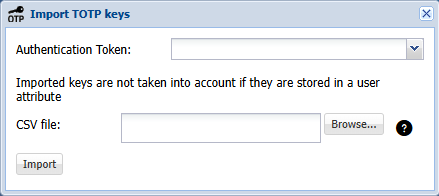
This module bulk-loads existing TOTP secrets, so that their holders find in Bastion the second factor they were using elsewhere.
It answers a migration need rather than a day-to-day one: in normal operation a TOTP secret is produced by the platform and enrolled by the user from their portal, by photographing a QR code.
Use cases
The typical case is replacing another two-factor authentication solution with Bastion's. Re-enrolling every user means reaching each of them individually; importing the existing secrets avoids that step and makes the switch invisible to them: their authenticator app goes on producing valid codes.
Prerequisites
- having the secrets themselves, exported from the previous solution;
- that the account identifiers match those of the target domain;
- that the generation parameters (algorithm, number of digits, period) are compatible with what the TOTP token generator expects.
Sensitivity of the imported file
The imported file carries, in clear, everything needed to produce the one-time codes of every user concerned. It is as sensitive as the passwords it protects: transport it and destroy it with the same care.
Reset by empty key
Importing an empty key for a user does not leave their secret untouched: it resets it, and the platform generates a new one. The user therefore has to re-enrol their authenticator app, as the old secret no longer produces a valid code.
This mechanism resets a user's second factor (a lost or replaced phone, for instance) without touching the rest of their account. It works in bulk: a column of empty keys resets as many users.
Secret read from an LDAP attribute
When the TOTP secret is read from a directory attribute, the platform generates none: the directory holds it. Importing an empty key therefore resets nothing. The equivalent operation is performed in the directory, on the attribute itself.
File check
A column left empty by mistake does not go unnoticed for long, but by the time it is noticed it has already reset the users concerned. Read the file through before sending it, especially if it was produced by an export and then edited.
Implementation example
The Google Authenticator integration shows the normal enrolment of a TOTP application, the step this import avoids during a migration.
Limits
- The module imports; it does not export and does not display: there is no screen to read back a secret already loaded.
- An imported secret only becomes useful once an OTP token generator of the TOTP type is attached to the domain or to the access contract.
- The module carries no contextual help in the console: it has no matching screen reference page.