Authentication settings
This screen carries a single setting, and it concerns one thing only: the way a user designates their organisation on the login page. It changes nothing about authentication itself.
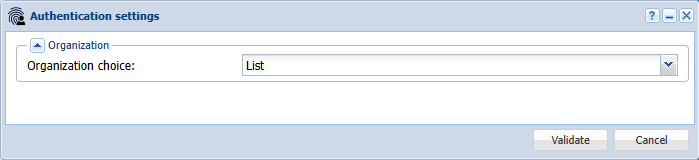
The only trade-off on the page
A platform hosting several organisations must know, before anything else, which one the visitor is addressing. Two ways of asking:
- List: the login page offers the organisations in a drop-down list. The user does not have to know the exact name of theirs; in exchange, anyone reaching the login page sees all the hosted organisations.
- Manual entry: the user types the name. The page therefore reveals nothing, but the name must be known and exact.
It is the default setting, List, that is the more permissive of the two.
This setting is the only barrier against enumerating the organisations
On a shared platform, the drop-down list exposes the list of hosted customers to anyone who can reach the URL. That is why Manual entry exists, and it is the only decision point: there is no intermediate setting, and no filter by calling address.
What the setting does not do
- It does not restrict access: an organisation stays reachable in Manual entry mode by whoever knows its name.
- It does not replace the IP address restriction set organisation by organisation in Organizations, nor that of the super-user account.
- It concerns neither the administration console nor the system console: only the user portal's login page is targeted.
Limits
- Two values, with no nuance.
- The setting is global to the platform: it is not broken down per organisation.
- There is no third mode: neither a list filtered by calling address, nor a list narrowed to the organisations whose name has been partially typed.
The detail of the fields is in the module reference.