Direct recording configurations
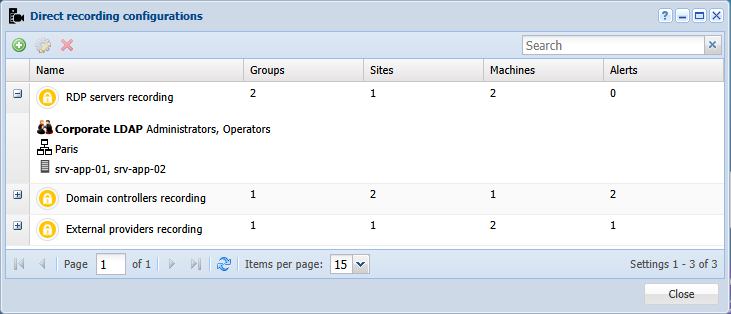
A direct recording configuration brings together user groups, sites and machines, and states that the RDP sessions those users open on those machines must be recorded. It also carries the alerts to watch for and, on request, a filter on the network connections opened from inside the session.
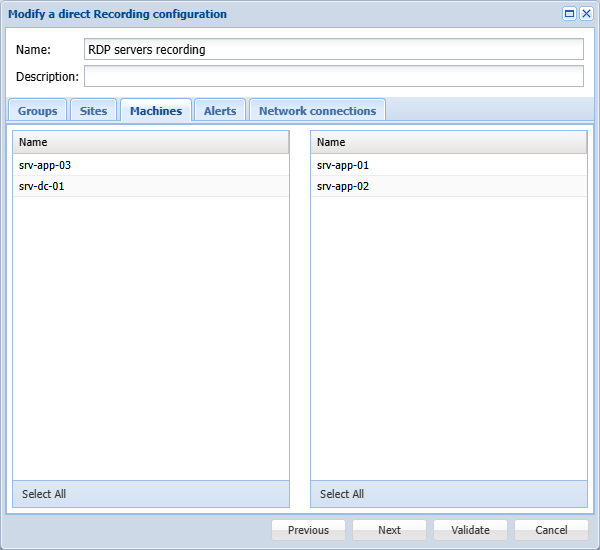
It is the object of the agent chain of direct access, and only machines whose agent mode is enabled are offered here.
Recording and access
The configuration decides on recording, never on access. The screen does not indicate it.
The agent installed on the machine queries the Mediation Controller every time an RDP session opens, giving it the user name, their groups and the groups' domains. The controller looks for a configuration that brings together both that machine and one of those groups. If it finds one, it answers "record" and names the Edge Gateways of the selected sites; otherwise it answers "do not record".
In both cases the session takes place. The platform is not on the path: it is informed, without being interposed.
Incomplete configuration
A misspelt group, a domain that does not match, a forgotten machine, a deleted configuration: the result is always the same, a session that runs normally, without a recording. There is no refusal on the user side and no warning on the console side. The only possible check is to observe, afterwards, that a recording exists.
Online Edge Gateways
The selected sites do not grant anything: they name the Edge Gateways the agent will send the stream to. If no online gateway is found in those sites, none can receive the recording, and the session goes unrecorded even though the configuration matched.
Group designation
The Groups tab starts from a Microsoft domain and offers the groups it returns, but what is stored is a group name, domain pair, as text. Two behaviours follow.
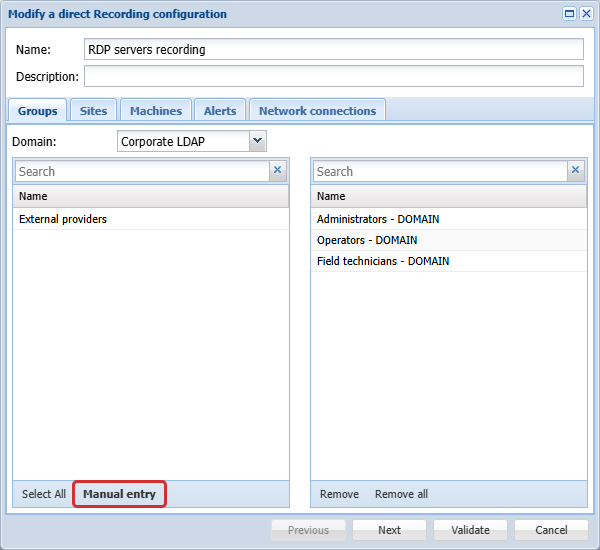
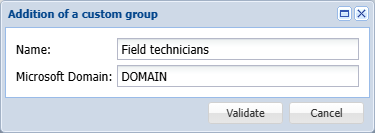
First, the manual entry button: a group the directory does not return (because it does not exist yet, because it lies outside the read scope) can still be written by hand. The button opens the Addition of a custom group window, which asks for the group name and its Microsoft Domain: the Microsoft name of the domain, not its display name in the console.
Second, the matching rule: when a session opens, the agent announces the user's groups and the controller compares them literally, ignoring case only. A typo in a manual entry is therefore not reported in the console; it results in the absence of a recording.
Network filtering
The Network connections tab restricts what the session may reach to a list of addresses, masks, ports and protocols. It is the only function in the group that acts on what the user can do, rather than on what is kept of it.
Several matching configurations
One user on one machine may fall under several configurations at once. Filtering is only applied if all of them enable it: one matching configuration leaving Filter network connections unticked is enough for no rule at all to apply, including the rules of the others. When it does apply, on the other hand, the rules of all matching configurations are pooled.
The screen does not show this interaction: each configuration is displayed on its own.
Filtering without rules
Ticking the box without adding a rule opens no flow, which the expanded row states explicitly. An empty allow list allows nothing; it is also the state reached after the last rule is removed.
Alerts
This is the only direct access configuration that carries alerts: neither the configurations by machine nor the contracts have any. At creation, alerts marked Enabled by default are placed in the selection automatically.
Alert deletion
The Alerts module refuses to delete an alert listed by an access policy or by a notification profile, but it does not look at direct recording configurations. An alert used only here can therefore be deleted with no refusal and no warning, and the configuration loses it without notice.
Configuration deletion
No condition prevents a configuration from being deleted. Deletion is immediate, whatever the machines, groups and sites it brought together, and without checking whether sessions are running.
Its effect is also immediate: sessions opened afterwards on those machines by those users will no longer be recorded. It is the only operation in the group that makes traceability disappear without cutting anything.
Limits
- A configuration name is unique, and validation refuses it if it is already taken.
- The validation button stays inactive until at least one group, one site and one machine have been selected: there is no partial configuration.
- Only machines in agent mode are offered.
- Groups can only come from a Microsoft domain; there is no equivalent for a local or SAML domain.
- The network filtering rules are rewritten in full every time the configuration is saved.
The field-by-field detail, the five tabs and the allowed networks grid are in the module reference.