Configuring a Web Certificate
Access the Mediation Controller server's web interface with the URI /system.
Examples
If access to the Mediation Controller on its web IP address is 10.0.10.10, then access to the system interface will use the URL: https://10.0.10.10/system.
If access to the Mediation Controller is possible with a DNS name, for example cyberelements-bastion.domain.local, then access to the system interface will use the URL: https://cyberelements-bastion.domain.local/system.
Important !
For any changes to the password, licence, or certificates (SSL Router, Watchdog, and CyberElements Bastion client), connect to the actual IP address for clusters (RIP_MC_WEB_MASTER or RIP_MC_WEB_SLAVE).
Creating a PKI
-
Select the tile
PKIs:
-
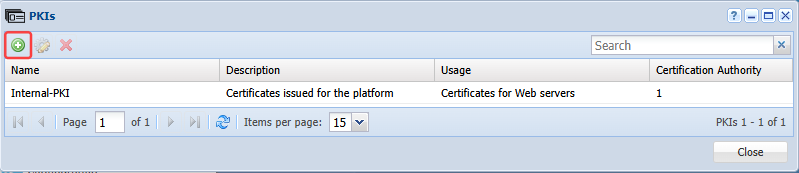
Click on the PKI creation button:
-
Give the new PKI a name: without spaces or accented characters, using only letters, digits,
.,_and-(any other name is rejected without an error message). Add a description if necessary. SelectCertificates for Web serversin theUsagefield and then clickValidate: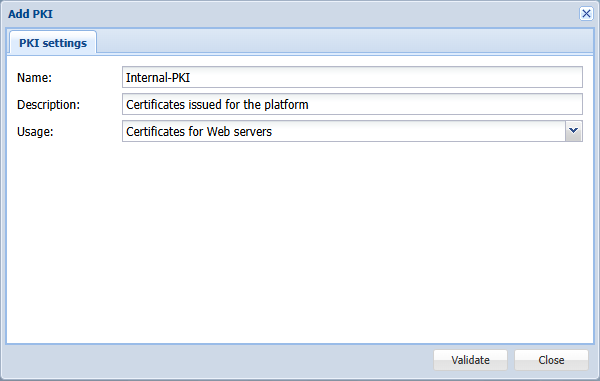
-
Edit the new PKI by clicking on the gear icon, then open the
Certificate authoritiestab: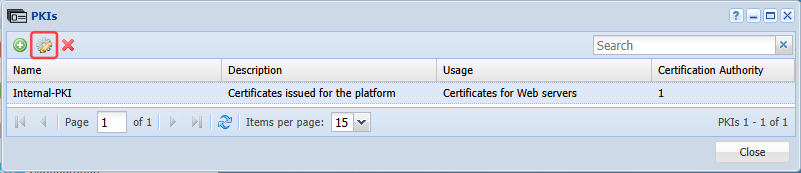
-
Then add new certification authorities using the following button:
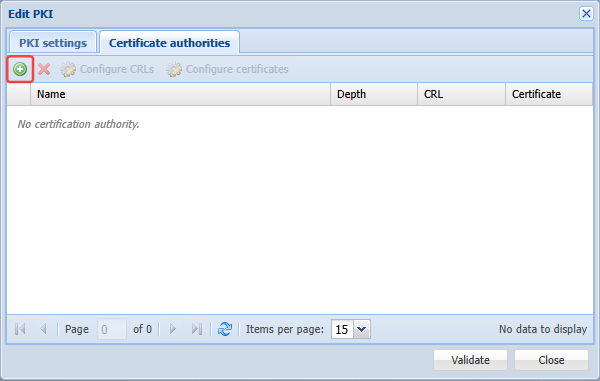
-
Select your certification authority certificate file, in PEM format (
PEM certificate for this CAfield), and confirm your choice: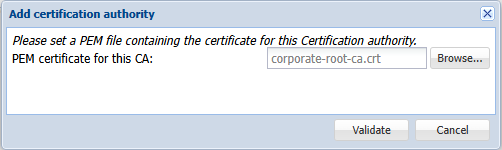
You will need to repeat the last two steps as many times as you have certification authorities. We recommend adding all certification authorities.
Warning
Your web certificate, the one whose CN matches your domain name, should not be added as a certificate authority certificate. This error may cause alerts on some web browsers.
-
Select the lowest level of certification authorities, the one that signed the web certificate (the
Depthcolumn showsRootfor the root certification authority), then click onConfigure certificates: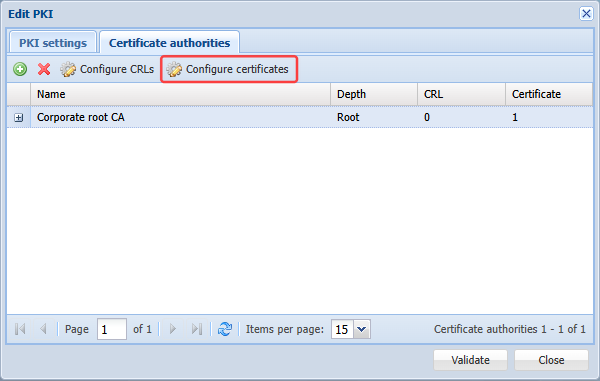
-
Add the new certificate using the add button then enter the certificate information:
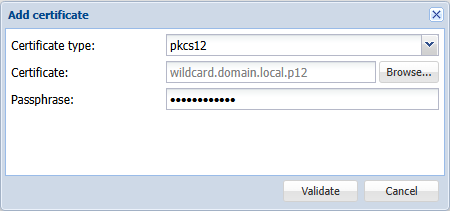
Applying the certificate
We do not recommend modifying the default web interface; therefore, there are two possible scenarios:
- Create a new web interface to apply the web certificate
- Modify the web certificate of an existing web interface
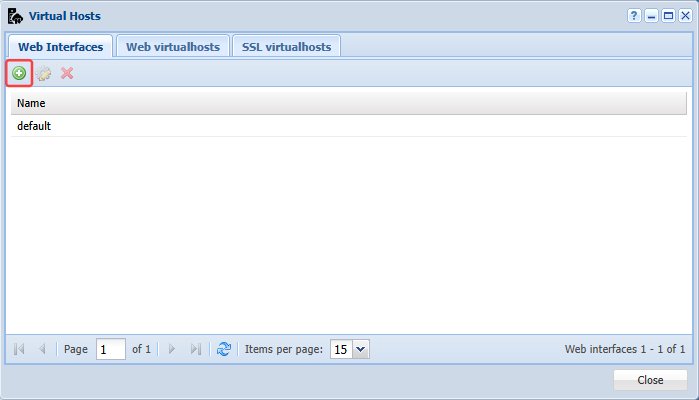
Click on the tile Virtual Hosts:

-
Click on the + button:
-
An
Add new Web interfacewindow will open.
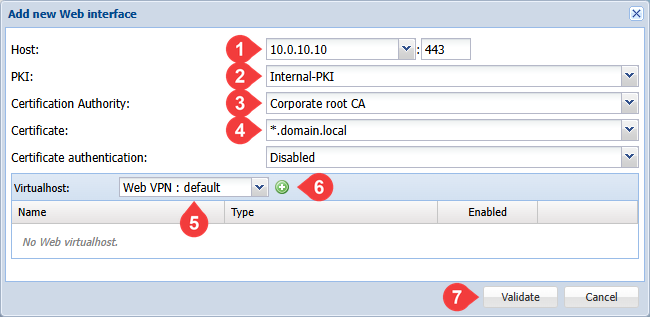
Perform the following actions:
- Select the IP address of your Mediation Controller server in the
Hostlist (orCustom IP addressto enter another address), and keep port443(1) - Enter the name of the PKI created previously (2)
- Enter the certification authority containing the web certificate (3)
- Select the certificate (4)
- Add the virtual host used (5), choose at least one VPN web virtual host in order to have access to the web consoles. Several virtual hosts can be added.
- Click on the + button to add the selected virtual host (6)
- Click on the
Validate(7) button.
!!! info "Information" Once the new web interface is validated, the system console session expires: log in again.
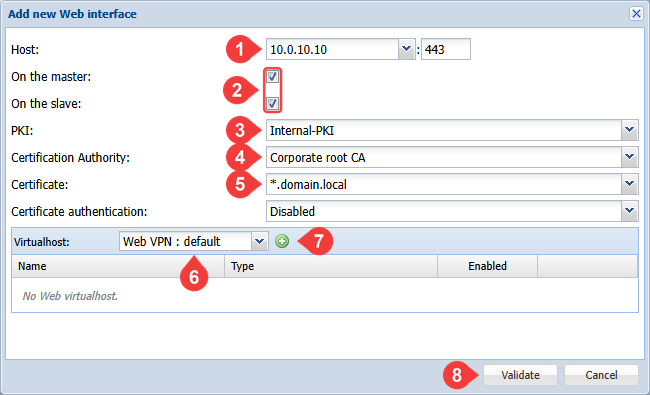
Perform the following actions:
- Select the virtual IP address of the web connections (
VIP_MC_WEB) in theHostlist, and keep port443(1) - Keep
On the masterandOn the slavechecked (2): the web interface is deployed on both Mediation Controller servers. TheHostlist also offers the real address of each server (RIP_MC_WEB_MASTER,RIP_MC_WEB_SLAVE): selecting one restricts the web interface to that server, for example to reach it directly for administration. - Enter the name of the PKI created previously (3)
- Enter the certification authority containing the web certificate (4)
- Select the certificate (5)
- Add the virtual host used (6), choose at least one VPN web virtual host in order to have access to the web consoles. Several virtual hosts can be added.
- Click on the + button to add the selected virtual host (7)
- Click on the
Validate(8) button.
- Select the web interface to be modified and click on the edit settings button:
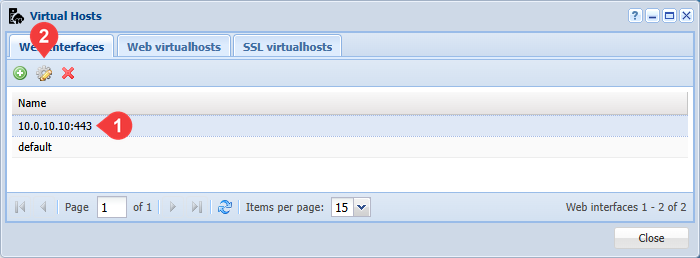
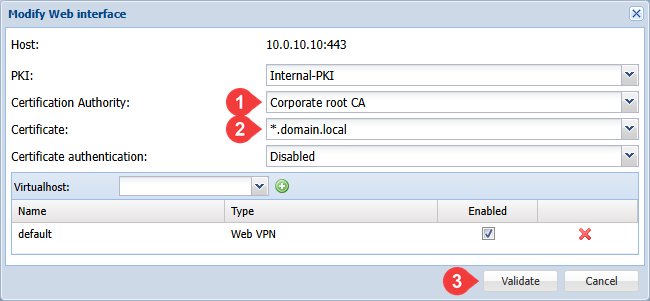
- If necessary, modify the PKI to which the new web certificate belongs, then assign the desired web certificate and confirm the modification: