Configuration of certification campaigns
A certification campaign is made up of several parts, found in 4 tabs:
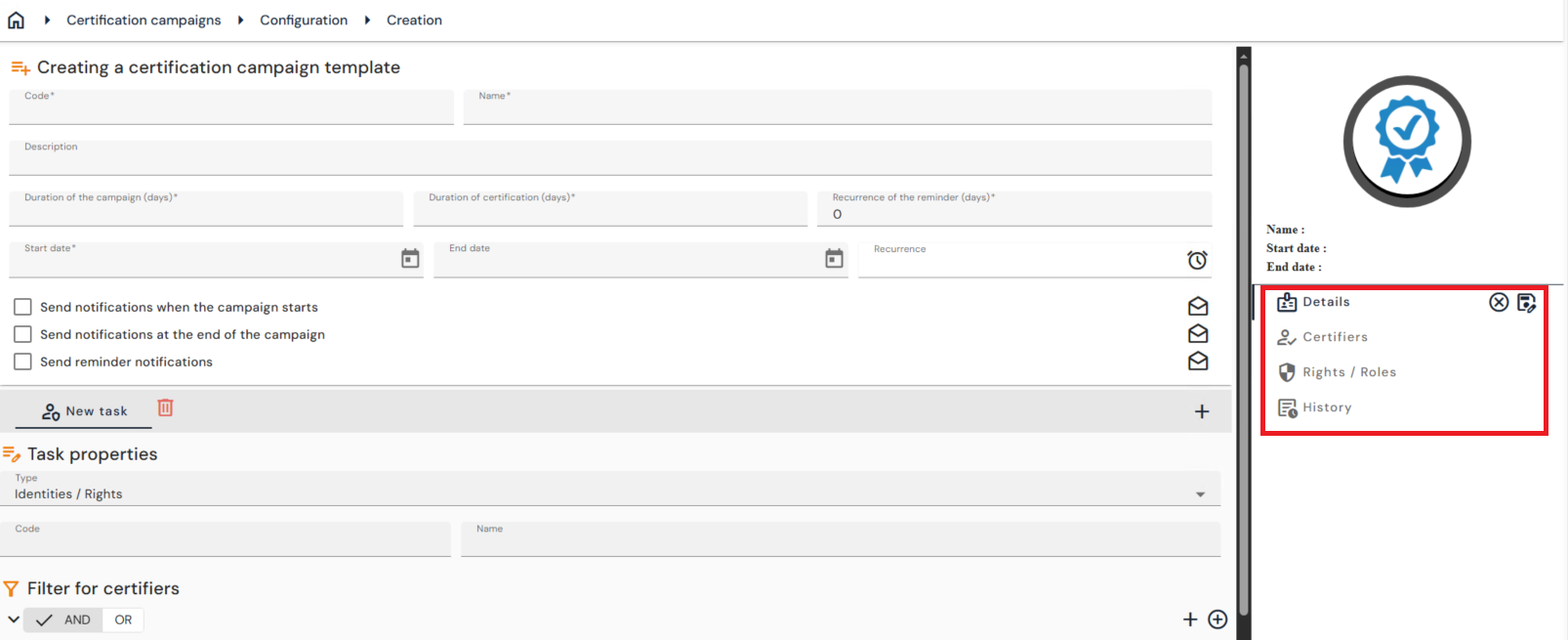
Details
The “Details” tab contains all the elements that make up the certification campaign:
- A campaign header that contains the following elements:
- Code: unique value, without accents or special characters. Mandatory.
- Name: Free value defining the name of the certification campaign. Mandatory.
- Description: Free value describing the certification campaign. Optional.
- Duration of the campaign: period during which the certifiers must process the campaign
- Duration of certification: duration of the certification of the roles or authorizations validated during the campaign. The first day of certification starts when a campaign is closed.
- Recurrence of the reminder: interval at which reminders are sent to the certifiers as long as the campaign is not closed.
- Start date: start date from which the certification campaign can be processed
- End date: date on which the certification campaign will end.
- The end date is useful as soon as a certification campaign is created to be replayed at regular intervals.
- Recurrence: periodicity to be defined to replay the certification campaign at regular intervals (example: every 6 months).
- Options for sending notifications
- One or more tasks to be performed during a campaign. A task is made up of the following elements:
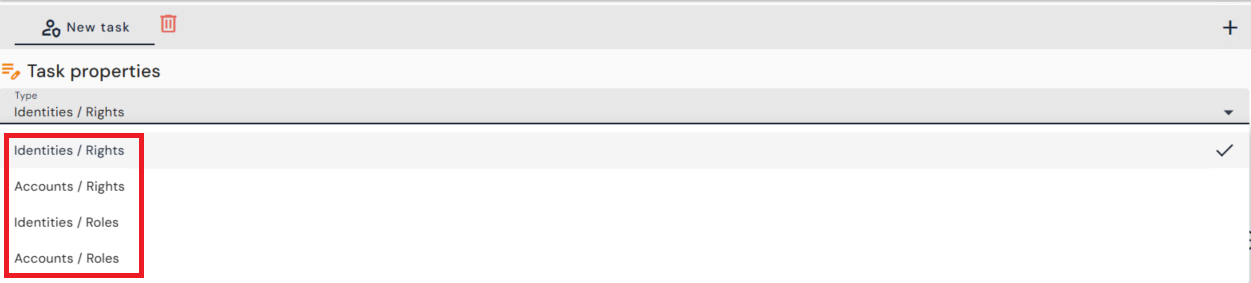
- A task type: roles or authorizations can be certified either on identities or directly on accounts
- A code: unique value, without accents or special characters. Mandatory.
- Name: Free value defining the name of the task. Mandatory.
- The certifiers: certifiers are chosen by applying a filter to select the people
- The identity / role or authorization pairs, or account / role or authorization pairs, to be certified: the identities or accounts, as well as the authorizations or roles, are also chosen by applying a filter to select the desired objects.
- A task type: roles or authorizations can be certified either on identities or directly on accounts
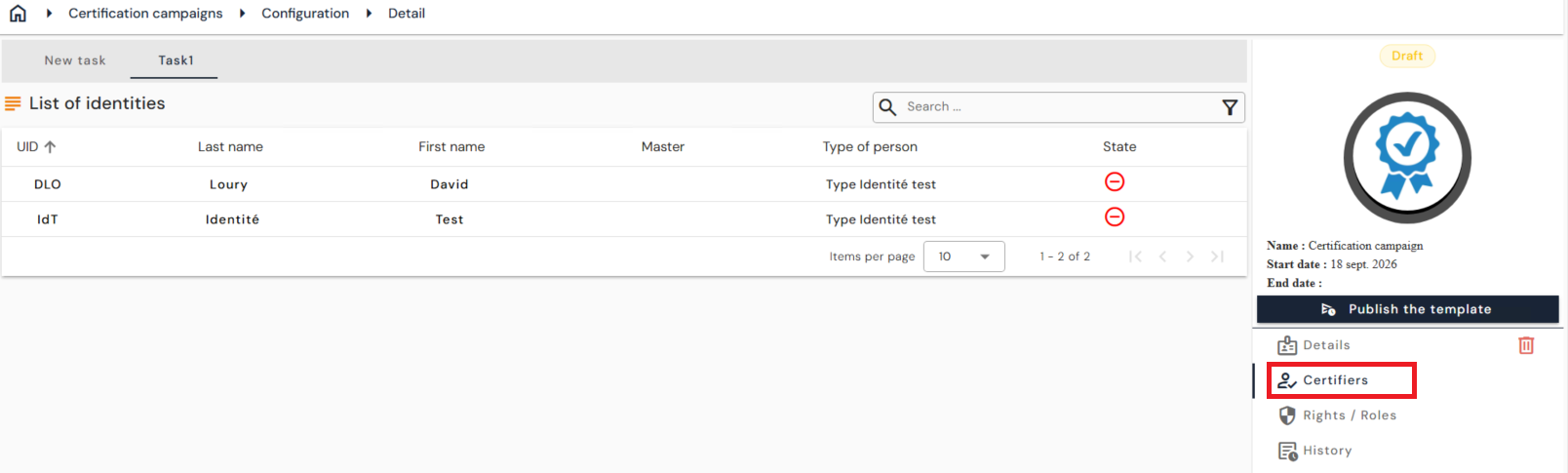
Certifiers
The “Certifiers” tab contains the list of certifiers per task
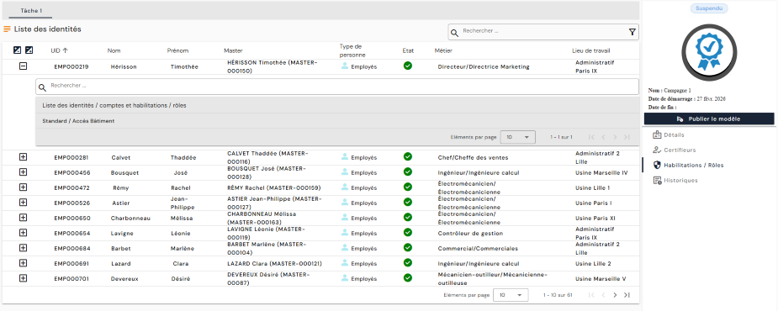
Rights / Roles
The “Rights / Roles” tab contains the list of Identity / Authorization or Role pairs, or Account / Authorization or Role pairs, also per task
History
The “History” tab contains all the actions performed on the campaign.
Life cycle of a campaign template
The list of the “Configuration” menu shows the campaign templates, with their name, description, scheduling and status. The ⋮ menu of each template offers three actions: publish, suspend and archive the template. The same actions appear in the right-hand panel of the template record.
A published template generates a campaign on its start date: the campaign then appears in the “Monitoring” menu, “Open campaigns” tab. A template without recurrence generates only one campaign; to open a new one, suspend the template and then publish it again.
Note
When the template is suspended, its start date is replaced by the current date. Republishing therefore opens a new campaign immediately.