PostgreSQL post-installation configurations
Authentication (pg_hba.conf)
The PostgreSQL server must allow remote access from the Identity servers.
You must modify the C:\Program Files\PostgreSQL\<version>\data\pg_hba.conf file (replace <version> with the installed PostgreSQL version) to add the authorized remote access, using the scram-sha-256 authentication mechanism.
Example:
1 2 3 4 5 6 7 8 9 | |
Installing psql.exe on the Identity server
You must also install the psql.exe tool on the Identity server.
To do so, retrieve the psql.exe binary located in C:\Program Files\PostgreSQL\<version>\bin (replace <version> with the installed PostgreSQL version), then transfer it to the Identity server.
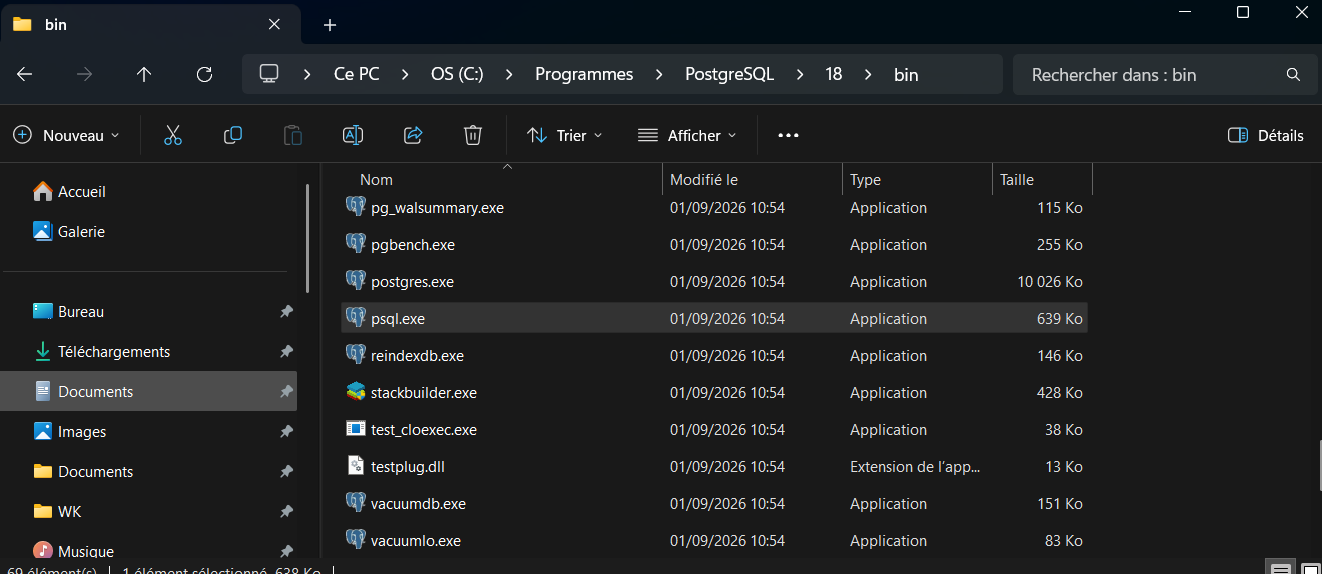
Run the binary as an administrator, then enter the requested password.
PostgreSQL database initialization
After the Identity solution has been installed on the Identity server, the migrate service starts automatically to create or migrate the database.
To check that it has started, go to the following URL from a web browser on the Identity server:
https://FQDN-Serveur-Identity-API:44345/
An automatic redirection to https://FQDN-Serveur-Identity-API:44345/migrate occurs if a migration operation is in progress.
You can also go directly to https://FQDN-Serveur-Identity-API:44345/migrate to find out the state of the database.
Specific configuration when installing Identity
When installing version 7.1, check the Enable preview features (PostgreSQL database) box on the license file selection screen of the installer. If this box is not checked, the installer will configure the database as a SQL Server database.
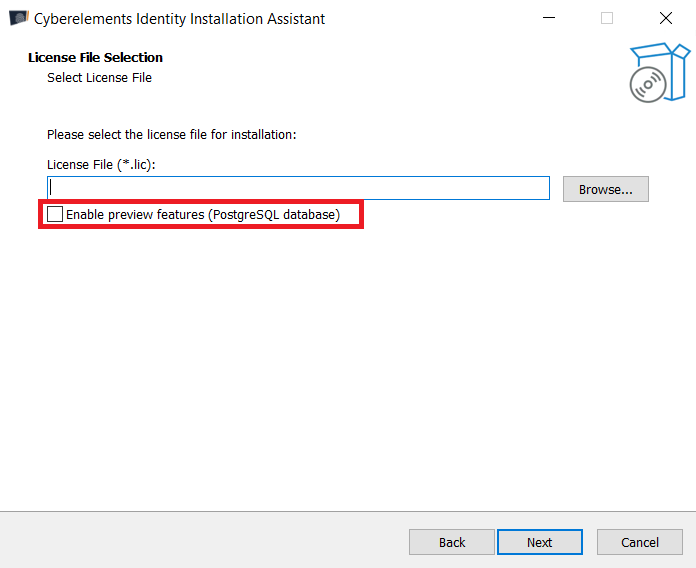
The legacy Identity interfaces are not compatible with the use of a PostgreSQL database. On the screen for selecting the components to install, you must deselect the Systancia Hpliance (HPL) component.
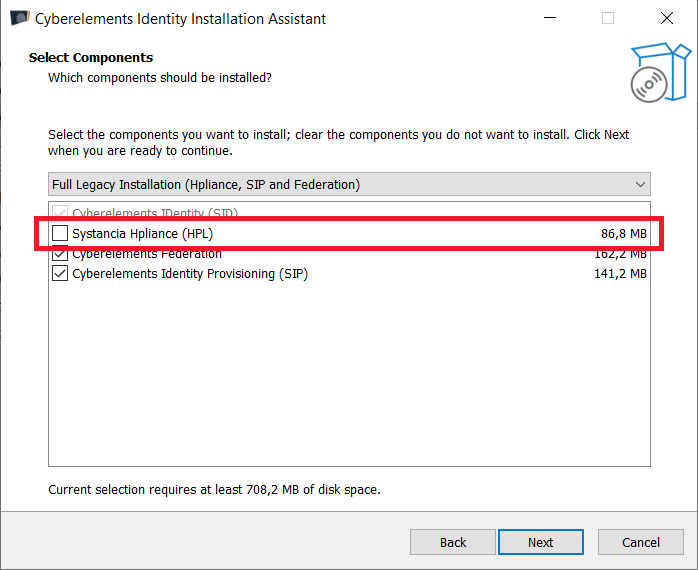
Warning
The installation cannot continue if the Enable preview features (PostgreSQL database) box and the Hpliance component are both selected.