Assistance profiles
An assistance profile enables session sharing: a user asks for help, and an authorised person joins the application session the user has already launched, to see their screen and take control of it. The profile defines who may ask, who may answer, and on which applications.
Watching a session with two people (the "four eyes" principle) is also possible from the Control center; what the assistance profile adds is the takeover of the session by the second person. Its scope therefore needs careful definition.
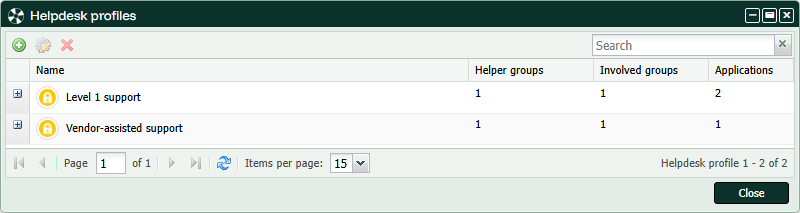
Profile content
The form has five tabs, in this order:
- Helpee groups: those who may ask for help. At least one is required.
- Helper groups: those who may answer.
- Applications: the applications on which assistance is possible. At least one is required.
- Email notifications: the sending server and the sender address.
- Third-party invites: allowing the user to invite a person from outside.
Form constraints
The form enforces three constraints that it does not explain on screen.
Applications eligible for assistance
The Applications tab only offers privileged applications whose service type is HTML5 (RDP), HTML5 (SSH) or HTML5 (VNC). Two exclusions follow, neither of them explained on screen:
- standard applications can never be assisted, not even in HTML5: it is the application type that determines eligibility, not the protocol alone;
- among the privileged ones, Isolate (Web) and the other web types are not listed either, even though they too go through the browser.
This rule is structural: session sharing relies on the web rendering of those three types. A reduced application tree is explained by this rule, not by a lack of rights. It is also why the whole module disappears when HTML5 is not enabled on the tenant.
Workplace category
The Workplace category is likewise absent from the tree.
Helper group or third-party invites
The form accepts saving as soon as at least one helper group is designated or the Allow users to invite third parties box is ticked. A profile meeting neither condition cannot be saved, and the button stays inactive without any message indicating which of the two is missing.
Third-party invites and email notifications
The Third-party invites tab stays disabled until Send invites by email is ticked in the previous tab, the invitation being sent by email. Allowing a third party therefore requires a declared SMTP server and a valid sender address.
Monitoring shared sessions
A shared session shows up in the Control center, where the dedicated search mode is called Only shared sessions. This mode allows an assistance session in progress to be observed.
Availability
The module only appears if HTML5 is allowed on the tenant, which is set by CyberElements. The assistance feature itself has no enabling setting: it is always available.
Limits
- Privileged applications of type HTML5 (RDP), HTML5 (SSH) or HTML5 (VNC) only, without exception: neither standard applications nor the other web types.
- The profile works by groups, not by user: there is no per-person authorisation to assist.
- It prevents deletion of the domain whose groups it names, for as long as it references it.
- The module carries no contextual help in the console: it has no matching screen reference page.