Virtual desktop
Application fact sheet
| Video recording | CyberElements client | Desktop client |
|---|---|---|
| depending on the access mode |
The Virtual desktop type hands the user a full desktop, cloned on demand from a reference machine, then released when it closes. The desktop is isolated from the user's own machine, built to a controlled model, and disposable.
In the standard family, it provides that workstation without recording its use.
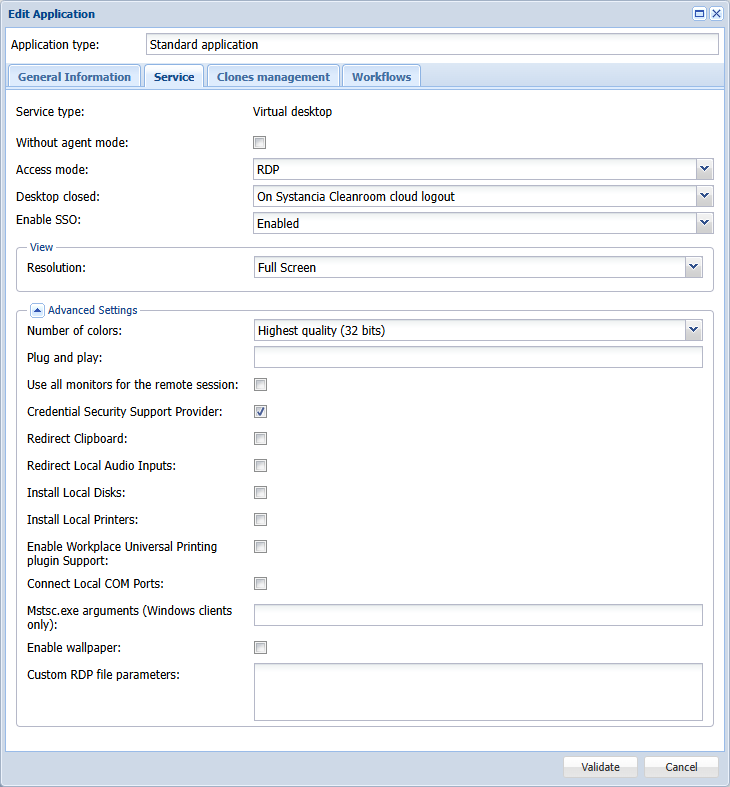
Access modes and closing
Three access modes are offered: the hypervisor console in the browser, an RDP session in the native client, or the choice left to the user. The desktop closes on disconnection from the portal, or on the user's action. SSO is only available in the RDP and user's choice modes.
Prerequisites
- Virtual machine management enabled on the platform: without it the type does not appear.
- A declared virtualisation host, VMware or Proxmox, with the locations where clones are to be created.
- A reference machine prepared on that host.
- The CyberElements client if RDP mode is chosen; the browser is enough in console mode.
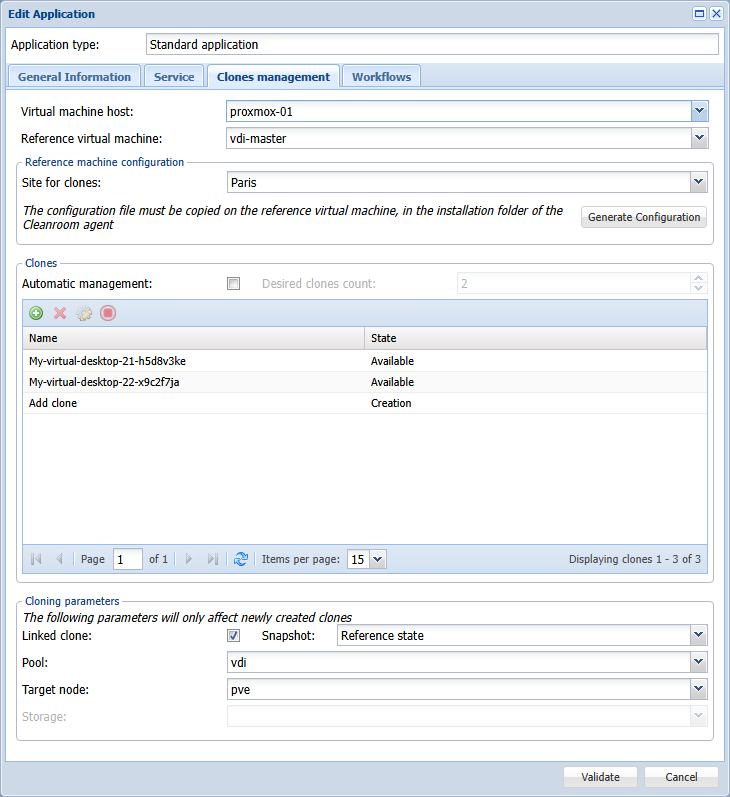
The host, the reference machine and the clones are set in the Clones management tab:
Limits
- No video recording: no recording agent to deploy, and no recording mode to choose.
- Not duplicable and not exportable to CSV.
- No target server to fill in: the target is a clone, created on demand.
- The host and the reference machine can no longer be changed while the application has clones. A clone removed from the list is deleted from the host on saving; if it cannot be, it is kept and the console reports it. Likewise, an application one of whose clones could not be deleted from the host is not deleted.
Passed credentials and SAML domains
Passing the user's credentials assumes the platform knows their password, which is not the case on a SAML domain, where it is entered at the identity provider. For those users, plan an SSO that takes the credentials elsewhere: entry at launch time, or an alias from the vault.
The details of the fields are in the module reference.
The API endpoints that drive this object are described in the API reference.