System restoration
The complete restoration of a CyberElements infrastructure involves restoring the following elements:
Mediation Controller(only for CyberElements Bastion),Edge Gateway,- Product database (only for CyberElements Bastion)
Restoring the organization from the “System” console
Attention
This section is specific to CyberElements Bastion infrastructures.
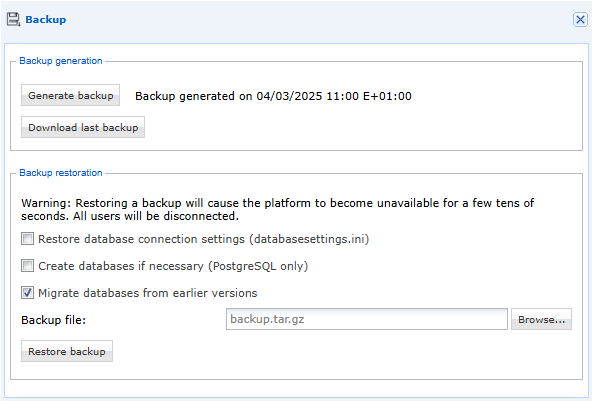
From the “Backup” menu in the “System” console, you can restore the CyberElements Bastion organization. Simply import the backup file, check the “Migrate databases from earlier versions” option, and click the “Restore Backup” button:
Restoring the organization from the organization console
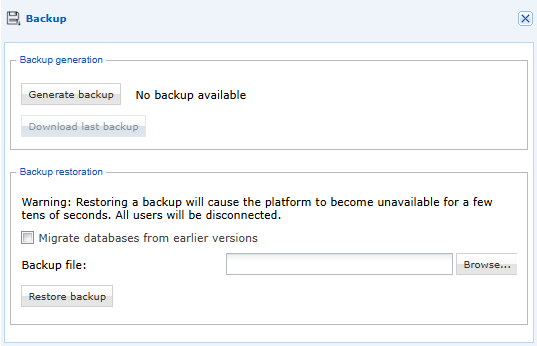
From the “Backup” menu in the organization console, you can restore the CyberElements Bastion organization. Simply import the backup file, check the “Migrate databases from earlier versions” option, and click the “Restore Backup” button:
Restoring the MSSQL databases
Attention
This section is specific to CyberElements Bastion infrastructures.
Any database restoration procedure can be used. Below is one possible procedure for reference:
- Connect to the MSSQL Server engine using the “
sqlcmd” utility, - Restore the SQL Server database using the command:
1 | |
- Enter the password of the account used to perform the restoration.
Server restoration
Restoring a CyberElements Bastion infrastructure component can be done in two ways:
- Via a backup tool (Acronis, VEEAM, etc.),
- Via the restoration of a snapshot of the machines directly from the VMware hypervisor, Microsoft Hyper-V, or Nutanix Acropolis.