Installation of the Edge Gateway appliance
Initial system settings
When you start the Edge Gateway appliance for the first time, an initial machine configuration wizard appears. This wizard allows you to initialize the system-specific configuration as well as those specific to the use of CyberElements.
Systems settings
The wizard begins by asking you to select a language: 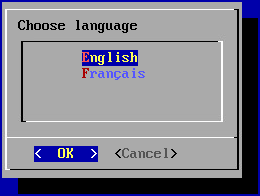
Information
The language you choose will affect both the system display language and the keyboard layout. In English, the keyboard will have a QWERTY layout, while in French it will be AZERTY.
The wizard then asks you to add a new password for the root system account (make sure it meets the required complexity): 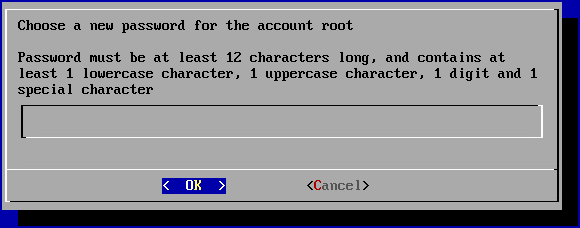
Next, you need to change the systancia system user account password (make sure it meets the required complexity): 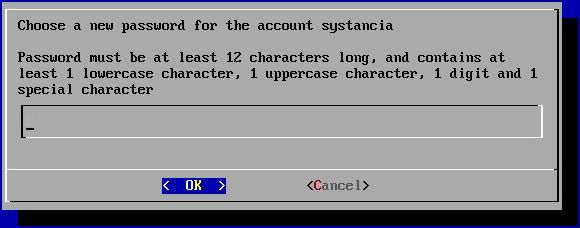
Finally, you need to enter the machine name: 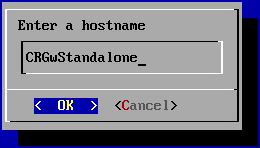
Network settings
Once the system settings have been applied, the wizard switches to the machine's network settings.
The first panel asks you to choose between a static configuration and a dynamic configuration via DHCP: 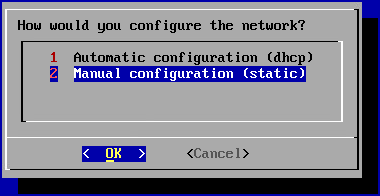
Recommendation
It is recommended that you use a static configuration for the machine's network settings, particularly for the direct access feature.
DHCP can also be used if the IP address is set at the DHCP server level.
If the static configuration is chosen, the wizard will ask for the following network settings: 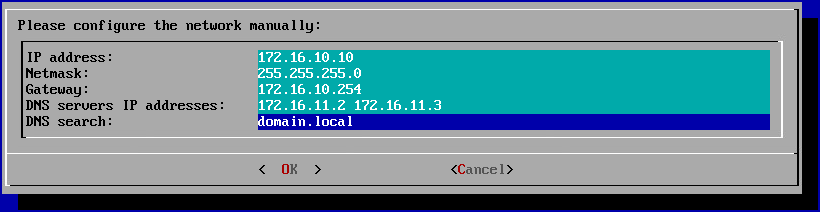
Tip
Several DNS servers can be entered (3 maximum) by separating them with spaces. Similarly, several DNS suffixes can be added by separating them with a space.
Pairing with your platform
Once the network settings have been applied, the Edge Gateway instance still needs to be connected to your CyberElements platform.
At this point, the initial configuration wizard should have reached the stage where it requests the address of the platform: 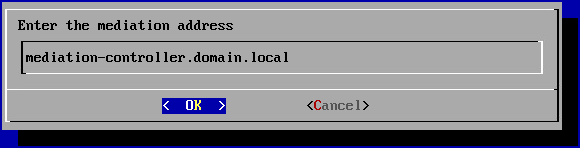
Enter the DNS name of your CyberElements tenant — for a tenant named my-tenant, that is my-tenant.cyberelements.io.
The wizard will then ask you to enter the Edge Gateway pairing token, obtained by generating a pairing token: 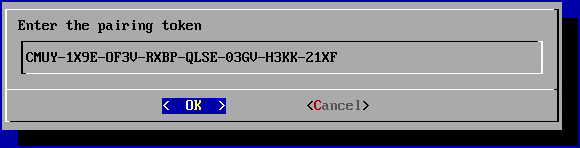
If all the information provided is correct, the Edge Gateway will configure itself and the initial configuration wizard will close automatically.
Configuring an NTP time server
It is recommended to set up a time server to keep the system clock up to date. The necessary steps are described on the NTP configuration page.