Creating a pairing token for an Edge Gateway
To create a pairing token, you need to create a new Edge Gateway or HTML5 Gateway (or edit an existing Edge Gateway or HTML5 Gateway by recreating a pairing token).
Once logged in, follow the steps below according to your platform type and the type of Edge Gateway that needs to be created.
-
Open the Edge Gateway management module:
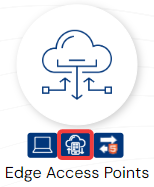
-
Create a new Edge Gateway by clicking on the + icon:
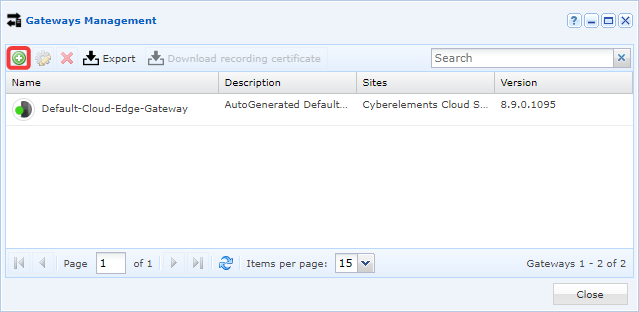
-
Fill in the various fields requested by the interface:
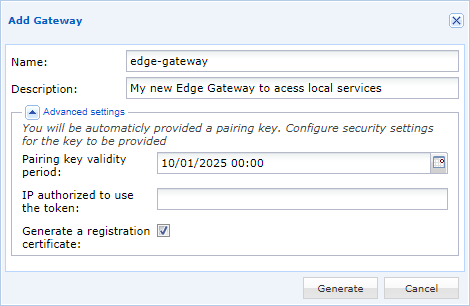
- Name the new Edge Gateway.
- Optionally, enter a description to better identify it or understand its use.
- Define the pairing token's validity period.
- Optionally, restrict the use of the token to an IP address. Please note that this is the IP address seen by the Mediation Controller hosted by CyberElements, so a public IP address must be entered.
- Optionally (recommended for creating the first Edge Gateway instance on the machine), leave the
Generate a registration certificateoption checked.
-
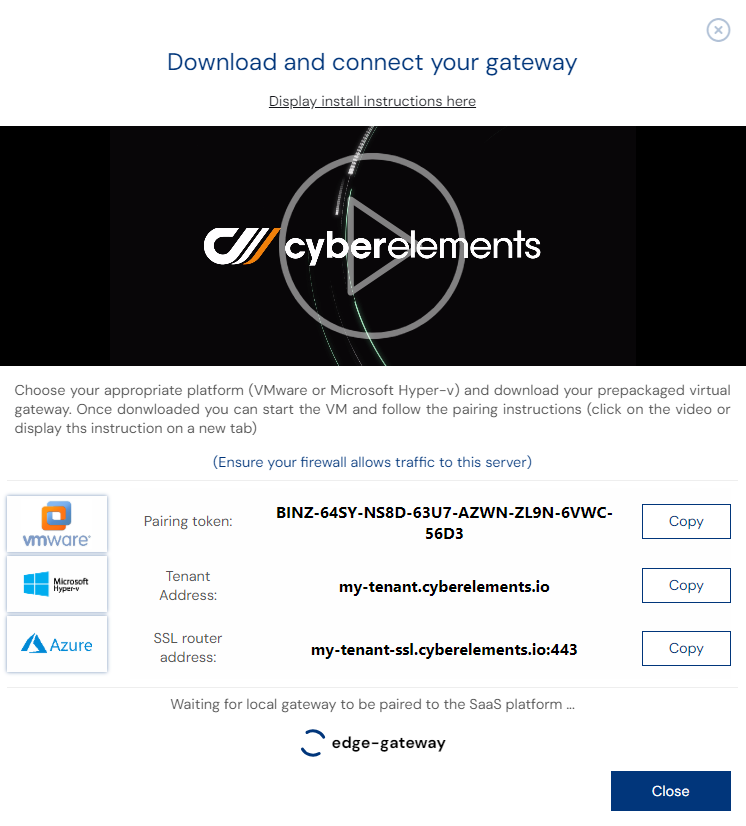
The pairing token is then generated and displayed on the screen:
Tip
If the token has been lost or could not be retrieved after creation, editing the settings of the new Edge Gateway will display it again.
Once the pairing token has been obtained, it can be used on an Edge Gateway or HTML5 Gateway with the following instructions: Connecting an Edge Gateway with a pairing token.