Administration groups
An administration group attaches an existing group of a domain to the administration of the platform. A group is declared there in one of two ways, which do not have the same scope:
| Declaration | Effect for the group's members |
|---|---|
| Administrator group | All rights over the console, with no profile. |
| Delegated administrator group | No right by itself: the group filters the users who can be declared as delegated administrators, and designates the approvers of access requests. |
Collective designation therefore only applies to administrators with full rights, and to the approvers of access requests. A delegated administrator receives their rights by name, through a delegated administrator profile that names them.
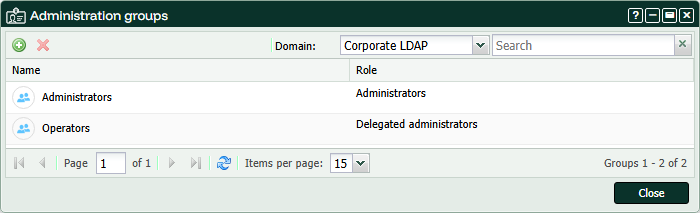
Availability by domain
| Domain | Possible declarations |
|---|---|
| LDAP and SAML | Administrator group or delegated administrator group. |
Local directory local |
Delegated administrator group only, to designate the approvers of access requests. |
Benefit of the group
For administrators with full rights, the group moves the management of arrivals and departures to the directory, where it already takes place. Adding a person to the administration team becomes a directory operation, and their departure closes their access to the console with no action in CyberElements.
Limits
- The group must exist in the domain: on a standard LDAP domain, it comes from the directory and cannot be created here.
- Membership is evaluated at login: a change in the directory only takes effect at the next session.
- A delegated administrator group grants no right over the console: its members still have to be declared as delegated administrators and given a profile.
The details of adding and removing are described in the module reference.
The API endpoints that drive this object are described in the API reference.